YouScrollChrome extension · YouTube
← Selected work

FreeNo account · No analytics · No remote code

YouScroll /Comments, doodles & GIFs for YouTube

Keep watching.Keep exploring.

On YouTube, reading the comments pushes the video off the top of the screen. YouScroll gives Comments and Up Next their own full-height panel beside the player, and adds a Video playground for doodles, GIFs, throws and face effects over the video — all on your device.

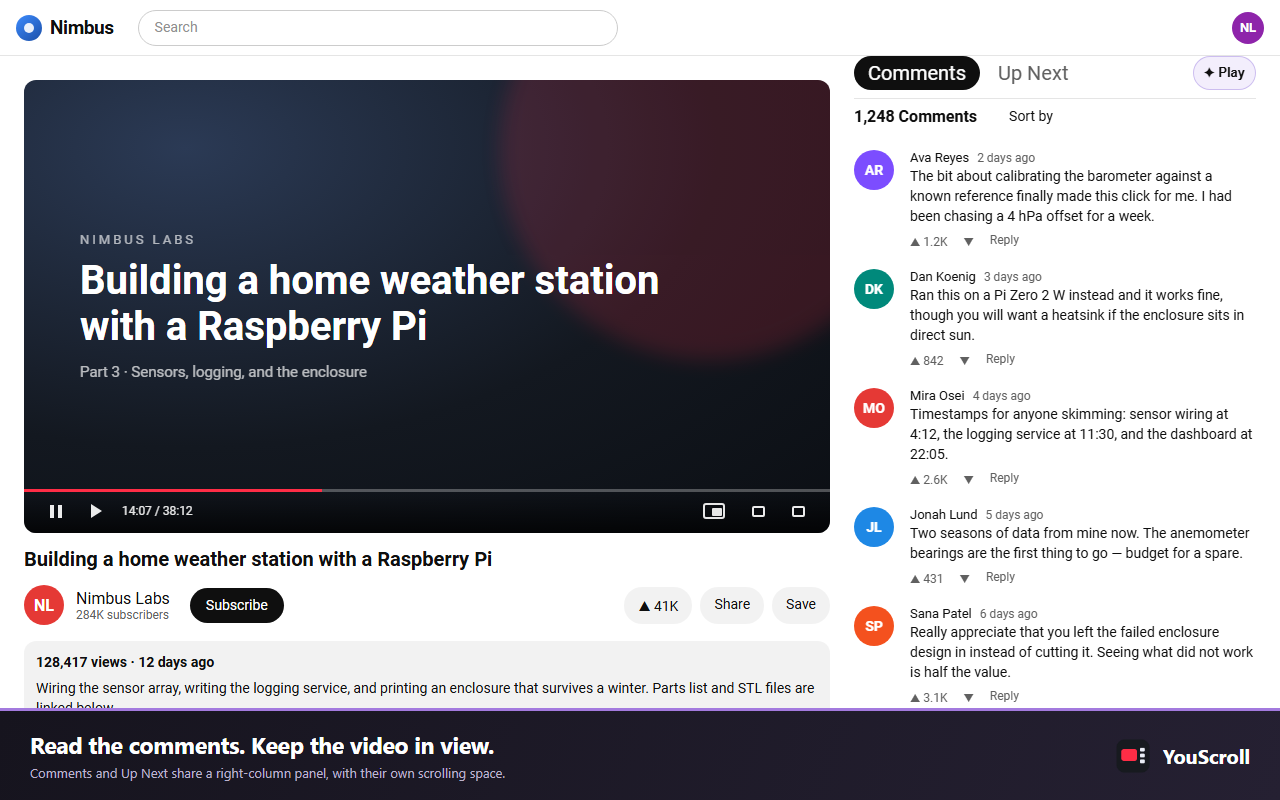
YouScroll store illustration: Comments and Up Next in a full-height panel beside the video, with the Play button above it.
Read the comments. Keep the video in view.Supplied preview

Runs on youtube.com and nowhere else

Scroll

Watch ↔ Read ↔ Play

01 /Deliberately narrow

One page.A better flow.

YouScroll improves the YouTube watch page and draws on top of the video — nothing else. Local-first, with no developer-operated data server.

Site it runs on
1
www.youtube.com — no other sites, tabs or history
Playground tools
4
Doodle, GIFs, Throw and Faces, over the video
Built-in reaction GIFs
10
Plus your own, optimized losslessly on the device
Network requests of its own
0
No analytics, advertising SDK or remote code

02 /Inside YouScroll

The video stays.The page moves around it.

See pricing for watch parties
Comments · Up Next01 / 07

Comments get their own column.

Read without losing the video.

Comments and Up Next share a full-height panel beside the player and scroll in separate panes without moving it. Choose which pane opens first, and YouTube’s own comment loading keeps working as you reach the bottom.

  • Separate panes, no page scroll
  • Pick the pane that opens first
  • YouTube’s own loading, untouched
A watch page with Comments and Up Next in a full-height panel beside the video.
Video playground · Doodle02 / 07

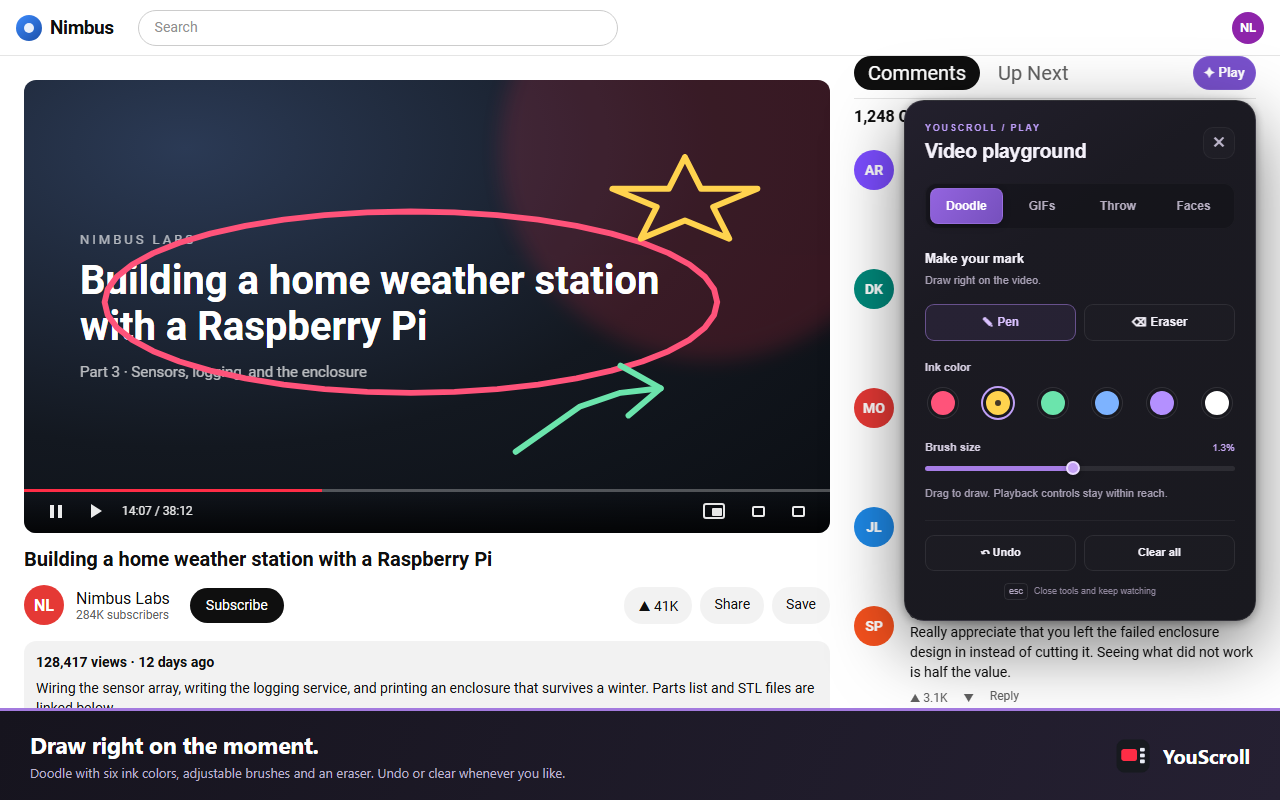
Draw right on the moment.

Mark it, then clear it.

Open the Video playground directly in Doodle, with a pen, eraser, six colors and an adjustable size. Undo with Ctrl+Z or clear everything at once; the video keeps playing underneath.

  • Pen, eraser and six colors
  • Undo (Ctrl+Z) and Clear all
The Video playground's Doodle tab, with a circle, a star and an arrow drawn over the video.
Video playground · GIFs03 / 07

Your GIFs. Original quality.

Ready next time.

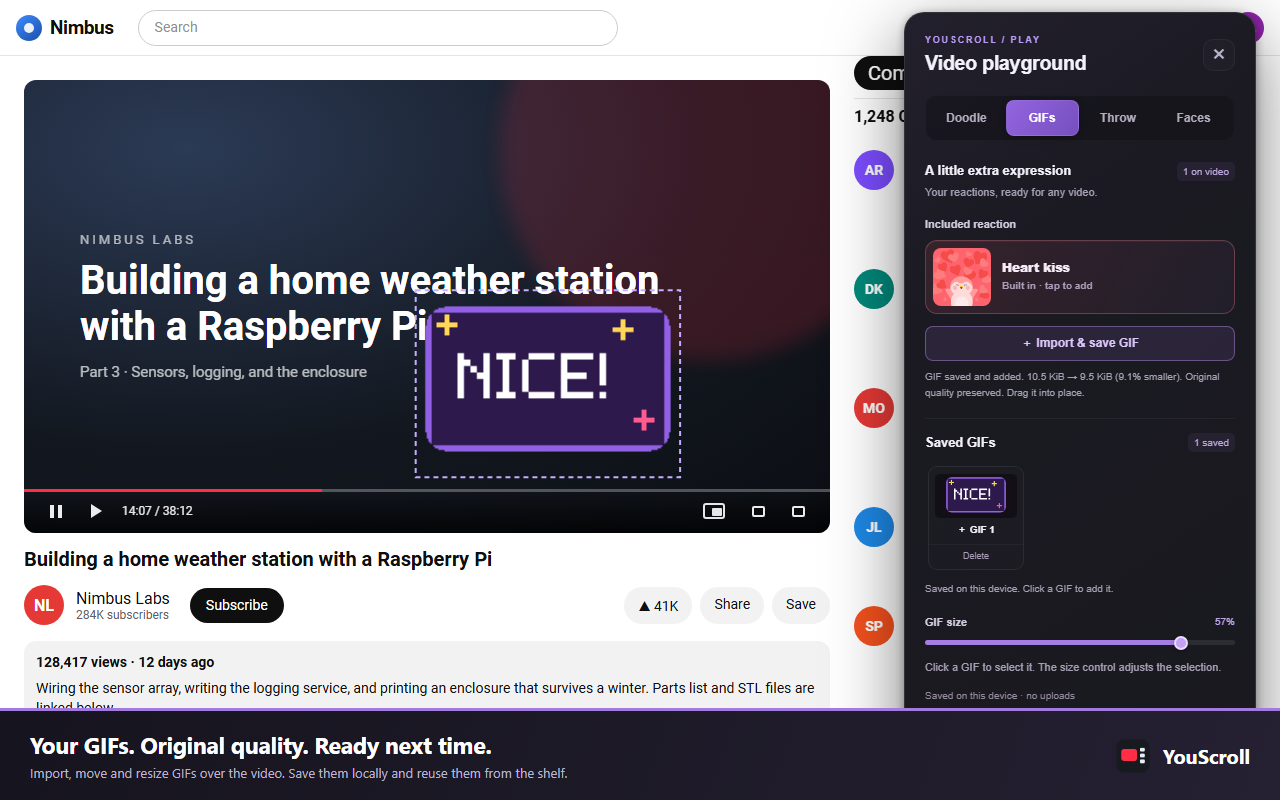
Add one of ten included reaction GIFs, or import your own and drag and resize them over the video. Up to four play together. Lossless local optimization keeps every pixel, frame, timing and transparency, and Saved GIFs keeps up to 12 files and 6 MiB on this device.

  • Ten included reaction GIFs
  • Import GIFs up to 64 MiB
  • Saved on this device, never uploaded
The GIFs tab with an imported GIF placed over the video and a Saved GIFs shelf.
Video playground · Throw04 / 07

A little mischief.

Eight ways to throw it.

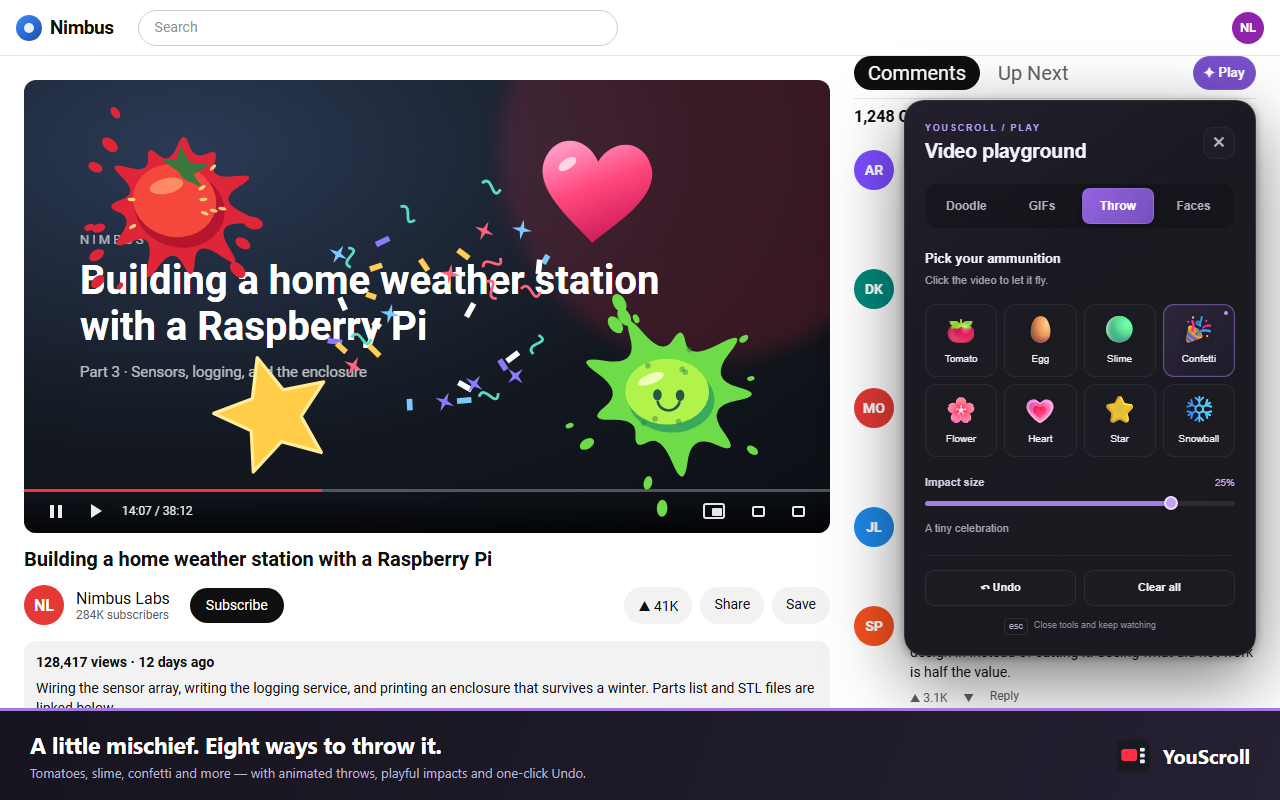
Throw tomatoes, eggs, slime, confetti, flowers, hearts, stars or snowballs, with flight arcs, squash and particle bursts that respect reduced-motion preferences.

  • Eight throwables
  • Respects reduced motion
The Throw tab, with a tomato, slime, confetti, a heart and a star splatted over the video.
Video playground · Faces05 / 07

Try a disguise.

Or bring your own.

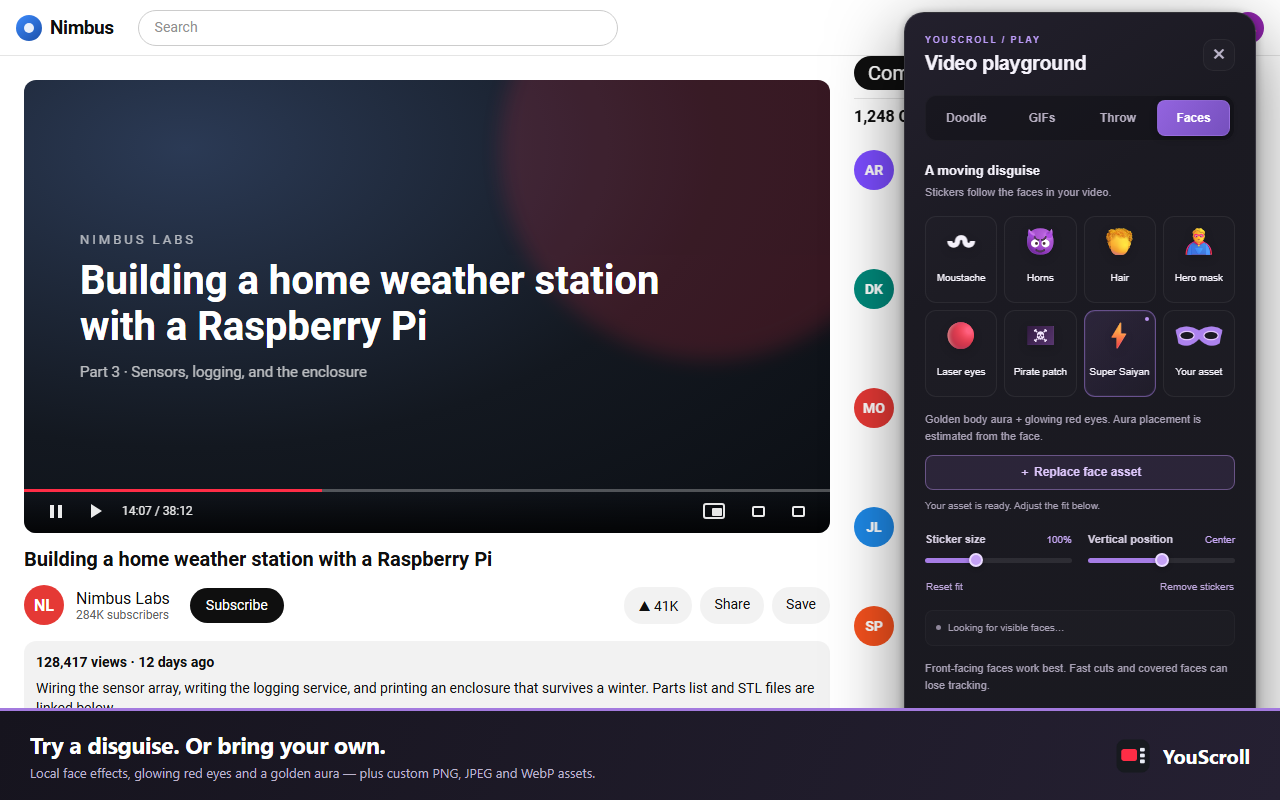
Add a moustache, horns, hair, a hero mask, a pirate patch, red charging Laser Eyes or a Super Saiyan power-up, or import a PNG, JPEG or WebP as your own sticker. Local face landmarks follow position and rotation. Tracking starts only when you pick a sticker; it does not identify people, upload frames or save face geometry.

  • Seven built-in effects
  • Your own PNG, JPEG or WebP
  • Processed on the device only
The Faces tab with its sticker choices, including Laser eyes, Super Saiyan and a custom asset.
Picture-in-Picture06 / 07

Pop the video out.

Float it above everything.

Open the current video in the browser’s own Picture-in-Picture window from a button in the player controls, so it floats above your other applications.

  • Toggle each feature from the toolbar popup
  • Changes apply in open tabs, without a reload
Coming soon · Watch together07 / 07

Watch it together.

Joining is always free.

Start a party, share a code, and watch the same YouTube video in sync with friends, with chat and reactions everyone sees. Joining a party is always free. Hosting starts with a 40-day free trial, then a paid plan. Watch parties are not in the store version yet.

  • Synced play, pause and seek
  • Free to join
  • 40-day free trial for hosts

03 /Where it runs

One site.Your device, your files.

No YouScroll account, analytics service, advertising SDK or developer-operated data server. Granted host access is limited to www.youtube.com.

Local-first, deliberately narrow.

Settings use Chrome sync. GIFs you choose to save stay in this browser’s local extension storage and never sync or upload. Doodles, throws, GIF placements, imported face images, sampled frames and face geometry stay in tab memory.

No comment text, video title, channel name, search query or watch history is read, logged, stored or transmitted. Extension controls are ordinary elements in the page, so scripts on that page can see them just as they can see the rest of it.

Read the privacy policy
Host access
https://www.youtube.com/* only — to rearrange the watch page, add controls and draw extension-owned overlays.
Storage
chrome.storage.sync holds one settings object. chrome.storage.local holds only the GIFs you save: up to 12 files and 6 MiB.
Face tracking
Starts only when you pick a face sticker. A bundled model samples video pixels on the device; nothing is downloaded at runtime or uploaded.
Not used
No tabs, scripting, webRequest, history, cookies or <all_urls> permission, and no background service worker.

04 /Good manners

It steps aside, on purpose.

Every borrowed page element returns to its original place. Switch a feature off or navigate away and YouTube’s layout comes back exactly as it was.

01

Theater mode and fullscreen

YouTube reflows into one wide column, so the panel steps aside. Press T or leave fullscreen and it comes back. The Play entry stays in the player controls where supported.

02

Narrow windows

Below 1025 pixels wide, YouTube moves the right column underneath the video, so YouScroll steps aside completely. Widen the window and it comes back.

03

Live chat and no comments

Live streams, premieres and chat replays show a chat panel instead of comments, and some videos have comments disabled. Mixes and playlists still get the panel.

06 /Get YouScroll

Free on the Chrome Web Store

Keep the videoin view.

Add it to Chrome and open any YouTube video. Questions, privacy requests and support: codecube99@gmail.com

Next product · DESIGN ENGINEERINGPixelGhost — Small details. Better page reviews.